One recipe · three maps
Follow the food,
Follow the food,
not the furniture.
Every view contains the same ingredients, actions, conditions, and outputs. Only the reading route changes. Pick the question you are trying to answer, then use the matching map.
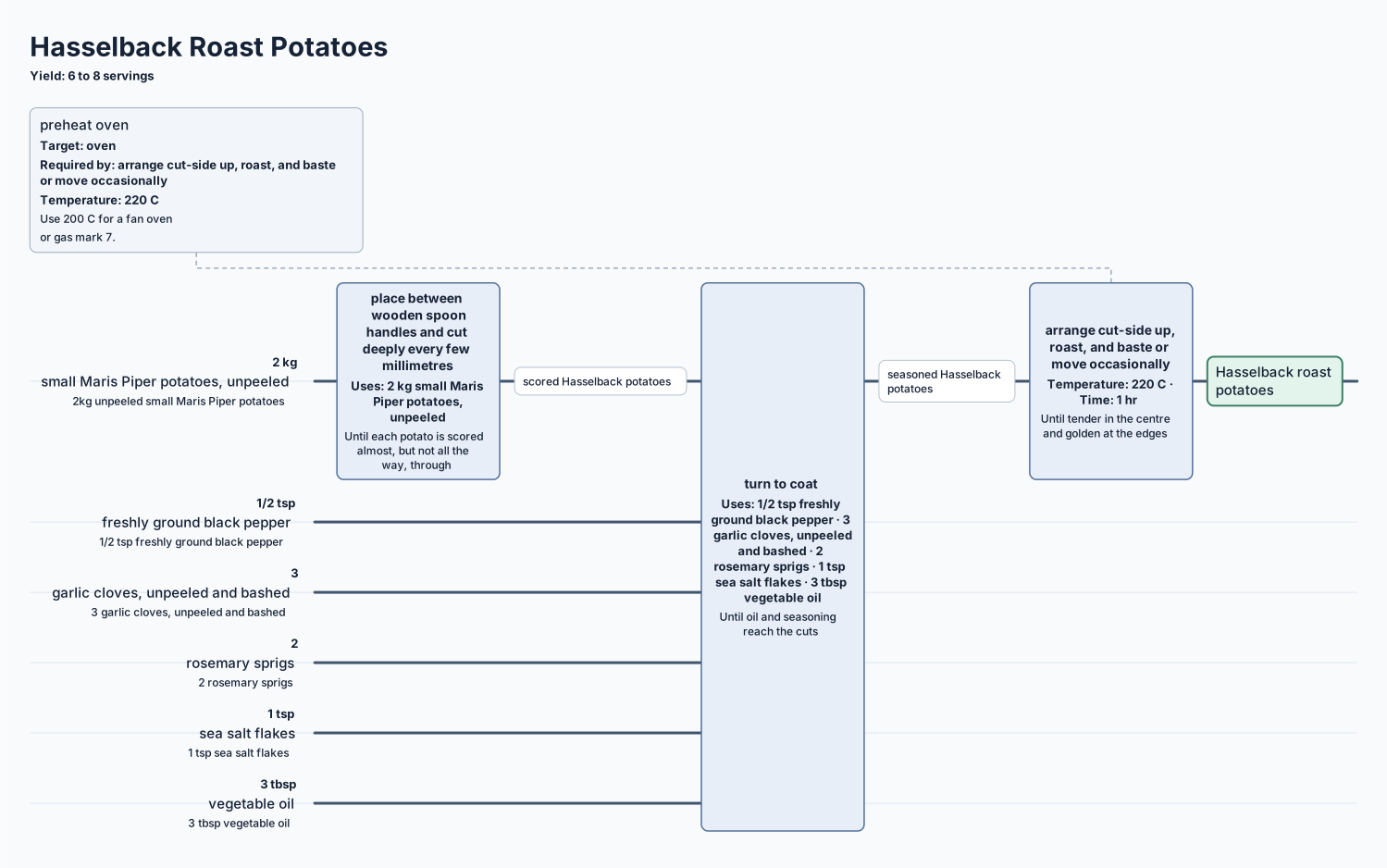
Map A · route
Flow
Best for tracing an ingredient through time.
Read left → right
- Start at an ingredient lane. Each horizontal lane carries a source ingredient or a material made earlier.
- Meet the action boxes. A box crosses the lanes it consumes. Read its heat, time, and completion test inside the same box.
- Keep following the line. A new label after an action is the material that action produced. A split becomes two paths; a join brings paths together.
- Stop at the named output. Final food, garnish, held portions, and waste are written explicitly at the end of their routes.
Use it when you need to answer “where did this ingredient go?” or see parallel prep at a glance.
Same lot · view AHasselback potatoes
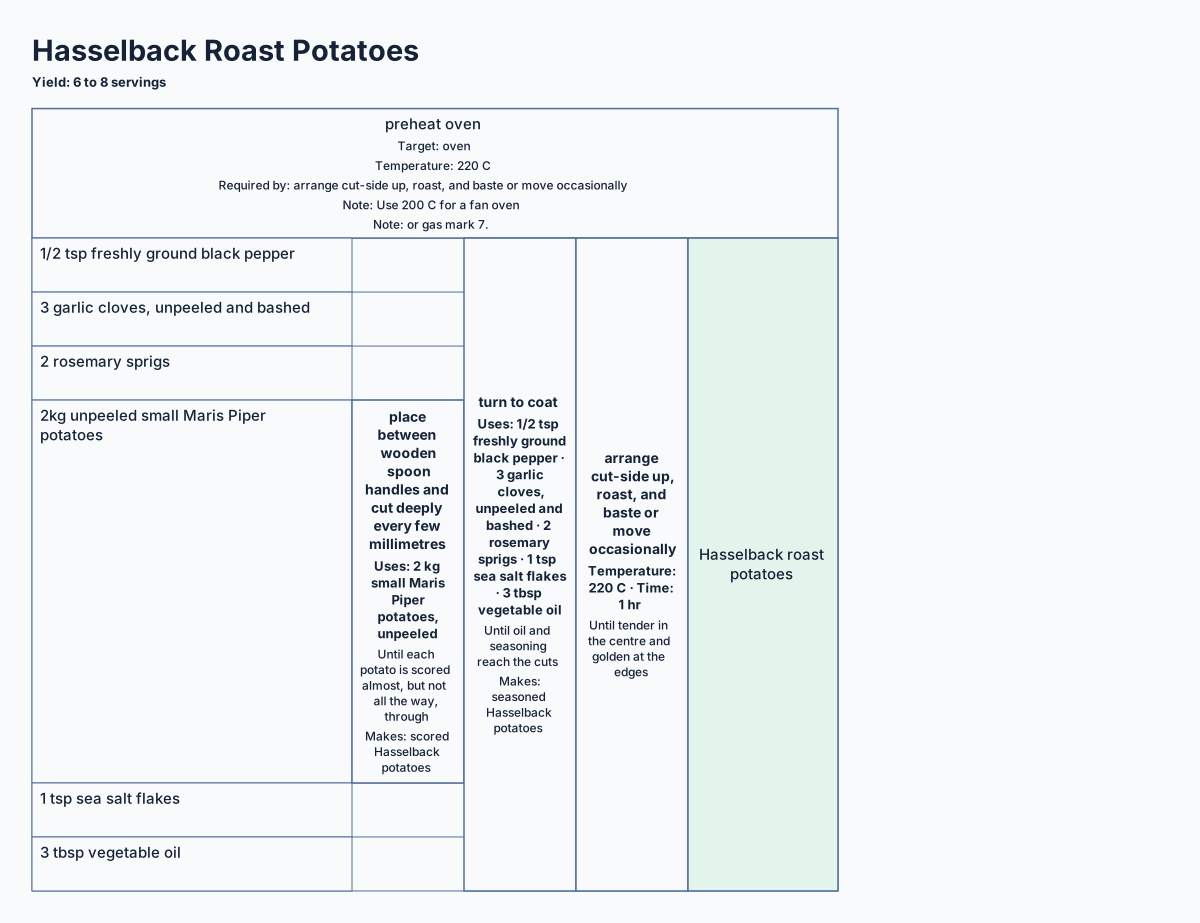
Map B · span
Compact Table
Best for a dense, ingredient-first overview.
Read rows ↓ then across →
- Find source ingredients on the left. Each ingredient owns a row.
- Read the height of an action. Its bordered span covers exactly the ingredient rows that feed it, including ingredients folded in through earlier actions.
- Move right for later work. Nested actions depend on the material to their left. Independent actions may sit in the same column when their rows do not overlap.
- Finish in the output column. The lightly distinguished cells at the far right name what the recipe leaves you with.
Use it when you want the whole recipe in the smallest practical footprint or need to compare ingredient groups.
Same lot · view BHasselback potatoes
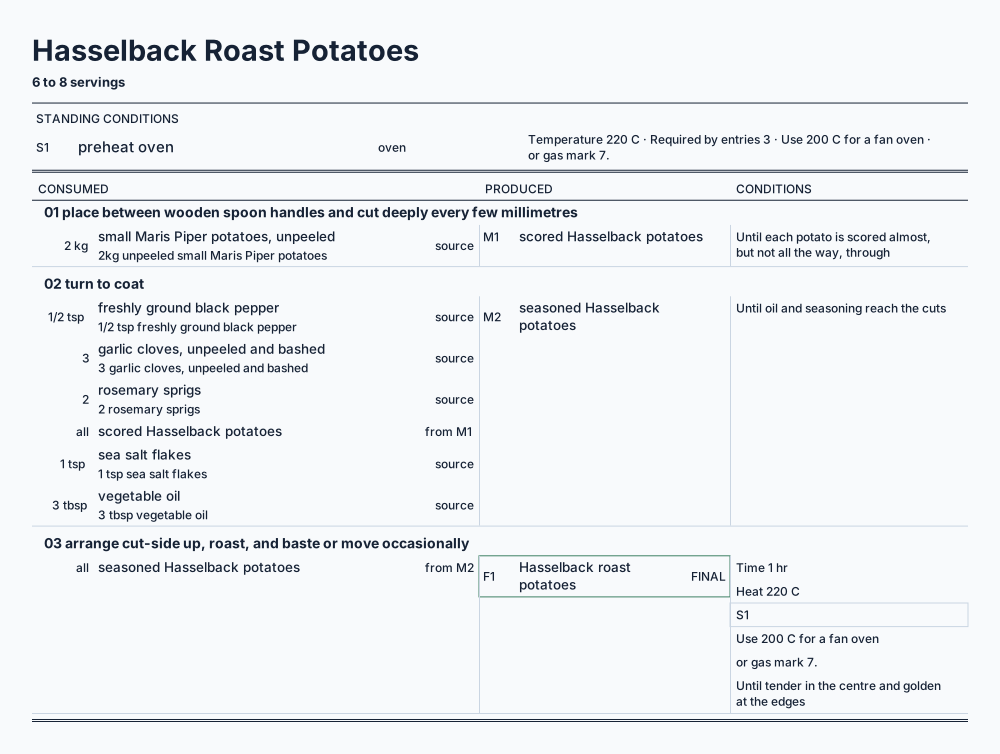
Map C · account
Kitchen Ledger
Best for checking every transfer and held portion.
Read top ↓ bottom
- Check standing conditions first. Oven heat, prepared equipment, and other setup appear in a band above the numbered entries.
- Read one entry at a time. The left column says what the action consumes; the centre names the action; the right says what it produces.
- Use folio references as breadcrumbs. M1 means material made by entry 1. F1 means a final output. S1 points back to a standing condition.
- Trust the printed status words. HELD, FINAL, WASTE, GARNISH, and optional state exactly how an item stands.
Use it when precision matters: scaling, handoff, print, troubleshooting, or checking that no portion quietly disappears.
Same lot · view CHasselback potatoes
Translate between the maps
If you lose your place after switching views, find the same action name and use this crosswalk.
| Recipe fact | Flow | Compact Table | Kitchen Ledger |
|---|---|---|---|
| Ingredient | A horizontal lane | A source row | A line under Consumed |
| Action | A box crossing lanes | A box spanning rows | A numbered entry |
| Dependency | A route continuing right | An action nested farther right | Entry order and M/S references |
| Final food | A named endpoint | A far-right output cell | An F folio marked FINAL |